Formuliermet Reservations

Form with reservations

Customers pick an available time slot in your form themselves; you see every reservation in a real calendar. No more phone calls and back-and-forth emails — your schedule fills itself in.

In short

What this gives you

Time slots & opening hoursSet your available days, times, and appointment duration per service.
Built-in calendarDay, week, and month views across all your forms, with a color per resource.
Syncs with your own calendarSubscribe Google or Outlook to a secure iCal link; new reservations automatically appear in your calendar.
Capacity per resourceTwo chairs or three courts? The system allows exactly that many bookings at the same time.
Automatic confirmationThe customer instantly receives a polished confirmation email, optionally with a PDF.
Reminder & self-service cancellationAutomatic reminder email before the appointment, and the customer can cancel it themselves via a secure link.
Recurring appointmentsSchedule a whole series at once — weekly, for example — and cancel it just as easily.
Deposit or pay in full upfrontCombine with a price field and let customers pay directly via iDEAL.
Manage & rescheduleMove, change, or cancel reservations from the schedule — with an audit log.
Reserving & scheduling

A calendar that thinks ahead

The calendar only shows genuinely available moments: opening hours, service duration, and your resource capacity are all factored in automatically. Whatever’s full simply can’t be booked.

  • Free time slots are calculated live — never double-booked.
  • One schedule for all your forms together, or separate per form.
  • Color per resource type so you can see what’s happening where at a glance.
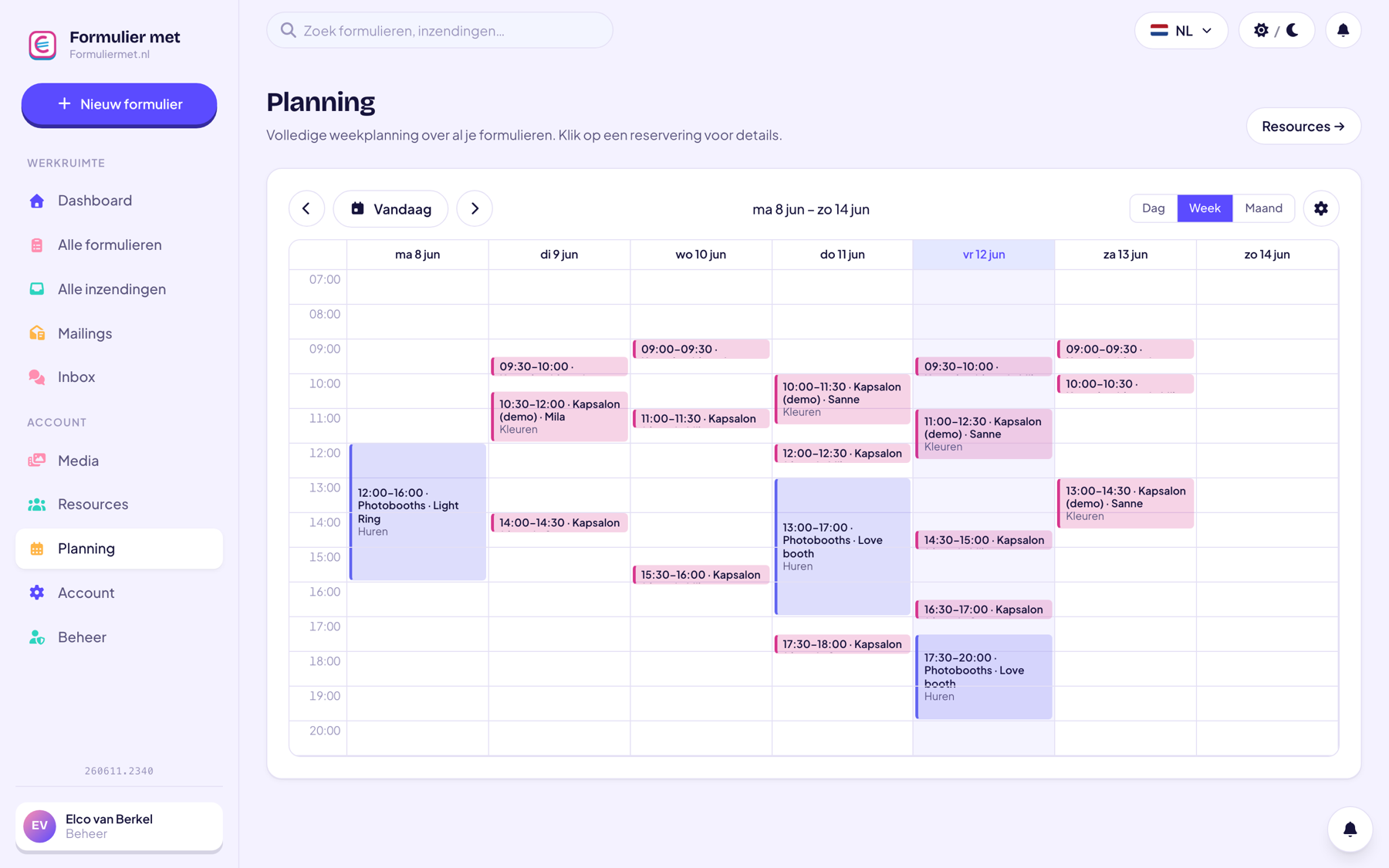
app.formuliermet.nl/account/planning
Weekly schedule with reservations and colors per resource
Everything around it

From booking to confirmation, handled

A reservation is more than a checkbox in a calendar. Your customer automatically receives a confirmation and a reminder beforehand, can cancel themselves if needed, and you keep full overview in your schedule.

  • Instant confirmation, automatic reminder — a few hours or a day in advance.
  • The customer cancels themselves via a secure link; the time slot immediately becomes available again.
  • Mark as no-show on the appointment, instantly visible in your schedule.
  • Reschedule or cancel from the schedule, with an audit log — and combine freely with payment.
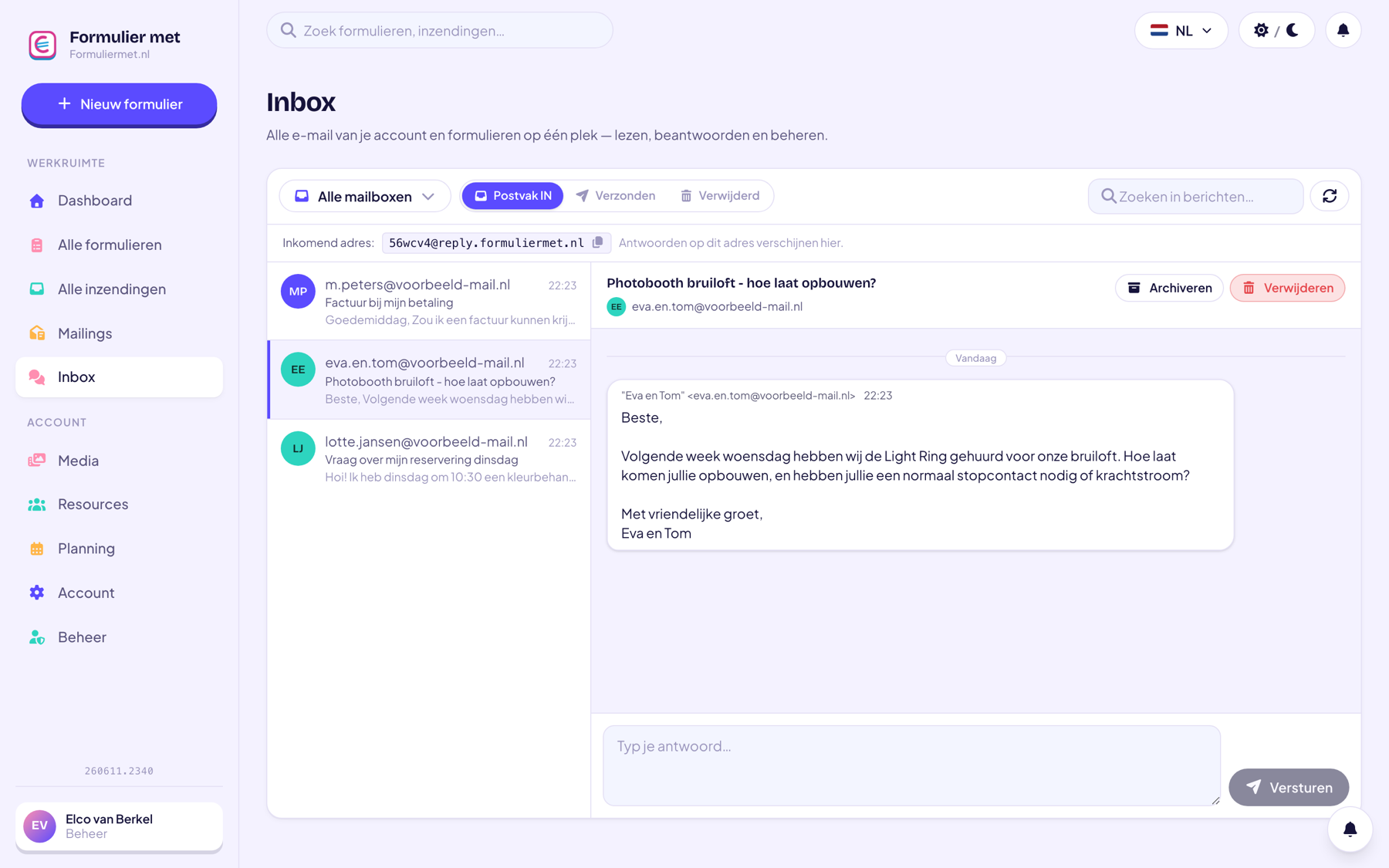
app.formuliermet.nl/inbox
Inbox with communication around reservations

Or let the AI assistant do it

Let the assistant set up your reservation form and query your calendar.

“Create a reservation form with 30-minute time slots”“How many reservations are there tomorrow?”“Move reservation #42 to next week”
Discover the AI assistant
How it works

Online reservations in 3 steps

01

Create your resources

For example ‘Hairdresser chair 1 & 2’ or ‘Padel court A’. Set opening hours, duration, and quantity.

02

Add the reservation field

Drag the field into your form and link it to your resources. Your booking page is ready.

03

Share your link

Customers pick an available moment themselves; you see everything in your calendar and receive an email notification.

Who it’s for

Widely used by

For anyone working with appointments, time slots, or capacity.

Combine with

Related features

Everything works together in the same form — combine whatever you need.

FAQ

Questions about reservations

Can a customer reserve without paying?

Yes. Payment is optional: you can allow free reservations, ask for a deposit, or have the full amount paid in advance.

How do I prevent double bookings?

Automatically. The system calculates availability based on your resources and existing reservations; occupied time slots simply can’t be selected.

Can I schedule multiple staff members or rooms?

Yes, for that you use resources with a quantity: 3 chairs = 3 simultaneous appointments. Each resource type gets its own color in the schedule.

Do I get notified about a new reservation?

Yes, you receive an email notification for every reservation (immediately or after payment) and see everything in your dashboard and calendar.

Can a customer cancel or reschedule themselves?

Yes. Every confirmation email contains a secure, personal cancellation link; if the customer cancels, the time slot immediately becomes available again and you’re notified. Rescheduling is done together in a few clicks from the schedule.

Does the system send a reminder?

Yes, you can have a reminder email sent automatically at a time of your choosing before the appointment — for example, 24 hours in advance. That noticeably reduces no-shows; anyone who still doesn’t show up can be marked as a no-show on the appointment.

Can I schedule recurring appointments?

Yes. You schedule a whole series at once — every week at the same time, for example — and you can cancel the entire series at once too.

Let your calendar fill itself

Create a free account and launch your first reservation form today.