Formuliermet Subscriptions

Form with subscriptions

Collecting membership dues, subscription fees or monthly donations by hand is a thing of the past. The subscription field arranges a valid mandate and the automatic direct debit — you just watch the balance grow.

In short

What this takes care of

Automatic direct debitAfter the first iDEAL payment, the amount is automatically debited.
Monthly, quarterly or yearlyYou set the interval per subscription field.
Valid mandateThe first iDEAL payment counts as a mandate — fully compliant with SEPA rules.
Self-service cancellationEvery subscriber gets a personal management link to cancel.
Status & due datesFor each subscription you see the status, amount and next debit date.
Through your own MollieDirect debits run through your own Mollie account, straight to your bank account.
Recurring payments

Fill in once, collected automatically

The respondent picks a subscription in your form and pays the first installment via iDEAL. That sets up the mandate — every subsequent installment is then automatically debited.

  • Fixed amount per interval, for example € 12.50 per month.
  • Multiple subscriptions in one form (junior/senior, bronze/silver/gold).
  • Failed direct debit? The status updates accordingly, so you can follow up.
Overview & management

Stay in control of every direct debit, without the hassle

For every subscription you see the status, the amount and the next debit date. Subscribers cancel themselves via a personal management link; you can do it too with one click — locally and at Mollie at the same time.

  • Next debit date and status always in view for every subscription.
  • Failed direct debit changes the status, so you can follow up in a targeted way.
  • Cancel in one click — for the subscriber and for you.
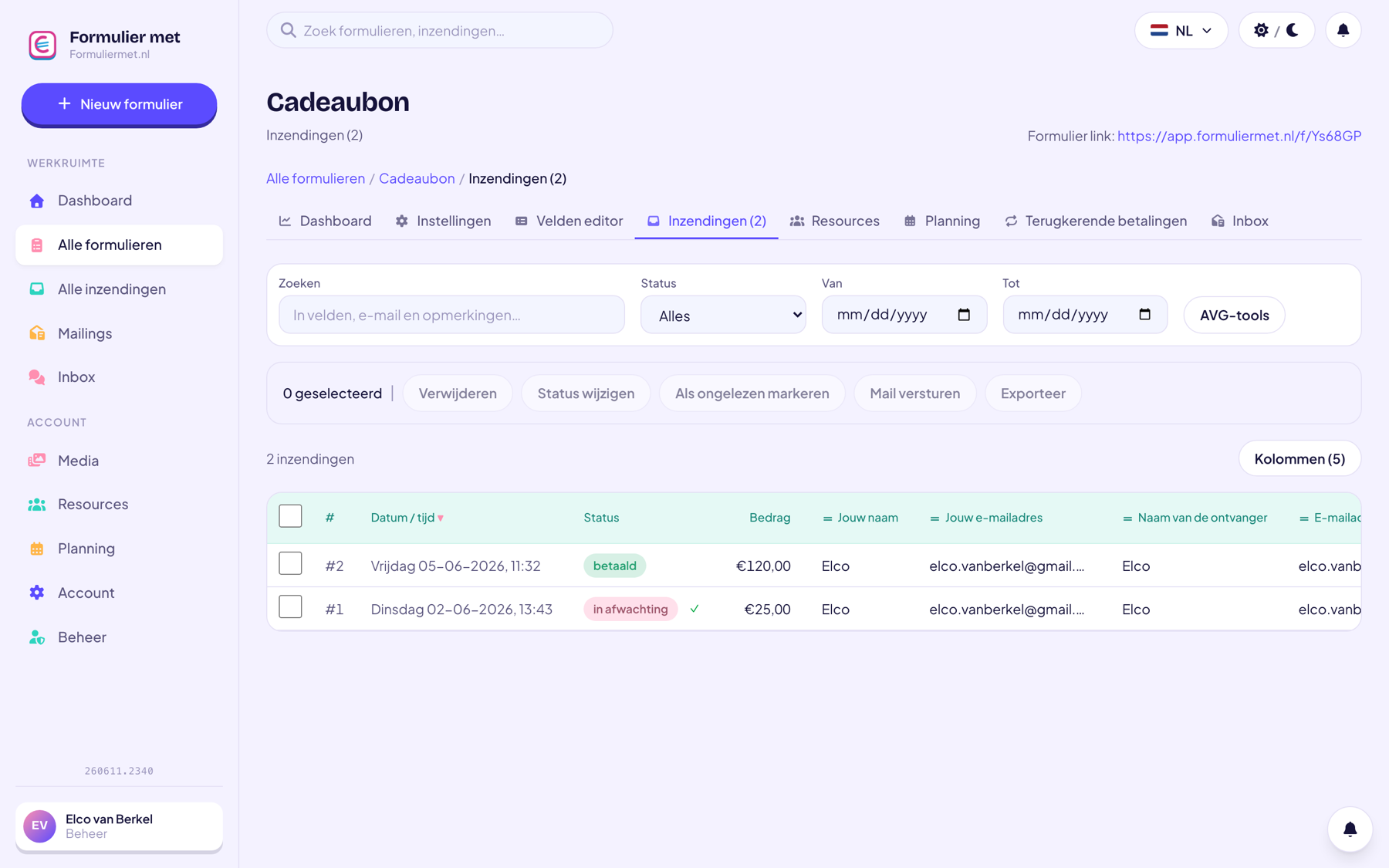
app.formuliermet.nl/forms/inzendingen
Overview of subscriptions with status and debit date

Or let the AI assistant do it

Manage recurring payments and mandates in plain language.

“Set up monthly membership dues billing on this form”“Who has a failed payment?”“Revoke the mandate for submission #18”
Discover the AI assistant
How it works

Automatic collection in 3 steps

01

Add the subscription field

Set the amount and interval: monthly, quarterly or yearly.

02

Connect Mollie

Direct debits run through your own Mollie account; the first payment goes via iDEAL.

03

Members sign up

From then on, every installment is automatically debited. They can cancel via the management link.

Who it’s for

Widely used by

For clubs, associations and charities with recurring income.

Combine with

Related features

Everything works together in the same form — combine whatever you need.

FAQ

Questions about subscriptions

How does someone cancel their subscription?

Every subscriber gets a personal management link to cancel the subscription themselves. You can do it too: from the submissions overview, you cancel a subscription with one click — locally and at Mollie at the same time.

What happens if a direct debit fails?

The debit status is automatically updated via your payment provider, so you can see and follow up on outstanding installments.

Can I offer different memberships?

Yes, add multiple subscription fields (for example junior and senior) or combine them with choice fields — each with its own amount and interval.

Is this legally compliant?

Yes. The first payment via iDEAL serves as a digital mandate under the banks' SEPA rules; the direct debits run through your own Mollie account.

Put your membership dues on autopilot

One form and your membership admin collects itself — cancellable, transparent, and through your own bank account.